mirror of
https://github.com/felixrieseberg/windows95.git
synced 2026-05-14 10:31:58 +00:00

48 lines
1.5 KiB
Markdown
48 lines
1.5 KiB
Markdown
# windows95
|
|
|
|
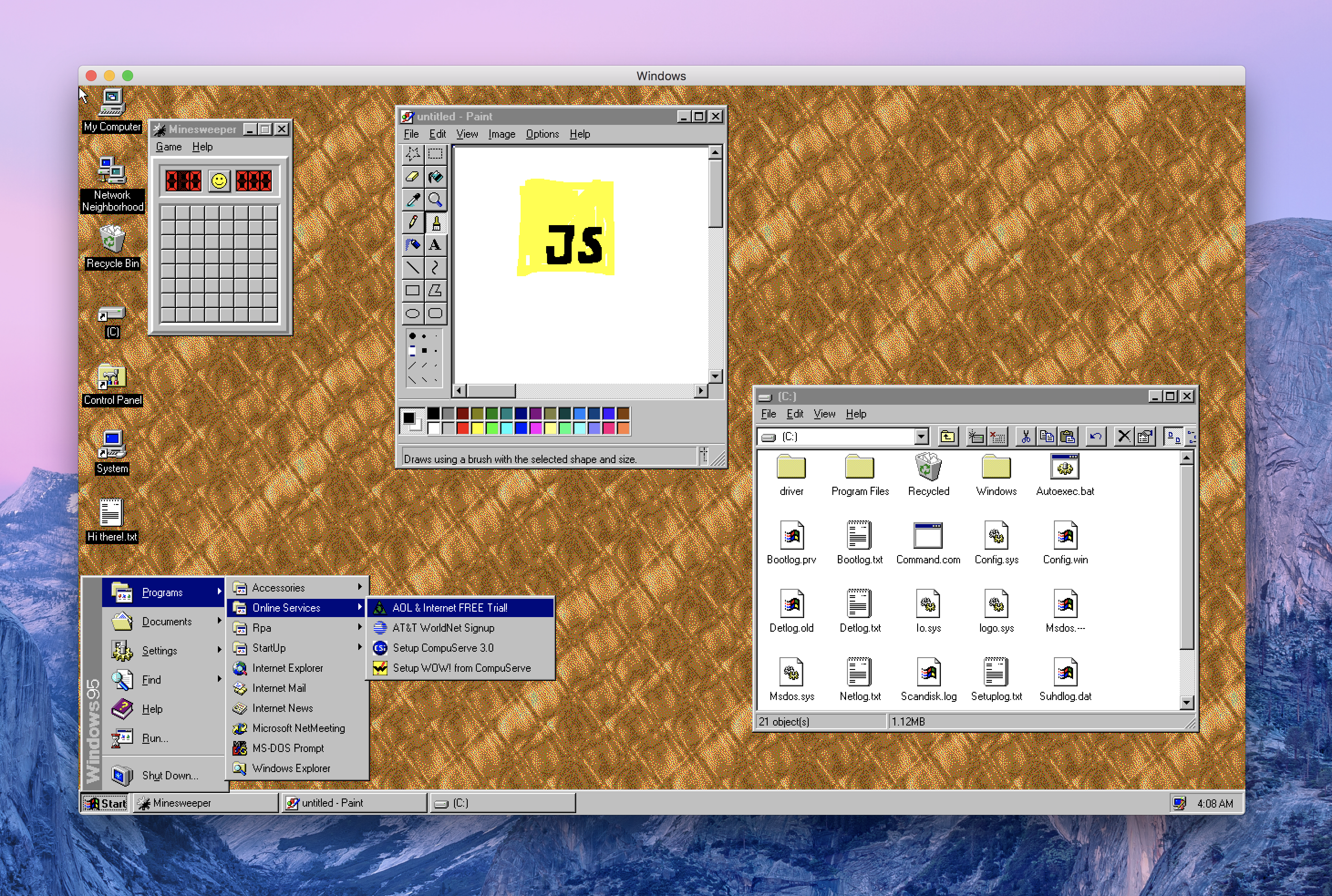
This is Windows 95, running in an Electron app. Yes, it's the full thing. I'm sorry.
|
|
|
|
## 💿⏬ [Download it here](https://github.com/felixrieseberg/windows95/releases).
|
|
|
|
|
|
|
|
## Does it work?
|
|
Yes! Quite well, actually.
|
|
|
|
## Should this have been a native app?
|
|
Absolutely.
|
|
|
|
## Does it run Doom (or my other favorite game)?
|
|
You'll likely be better off with an actual virtualization app, but the short answer is yes. [Thanks to
|
|
@DisplacedGamers](https://youtu.be/xDXqmdFxofM) I can recommend that you switch to a resolution of
|
|
640x480 @ 256 colors before starting DOS games - just like in the good ol' days.
|
|
|
|
## Can it run in a container?
|
|
[Of course!](./docs/docker-instructions.md)
|
|
|
|
## How's the code?
|
|
This only works well by accident and was mostly a joke. The code quality is accordingly.
|
|
|
|
## Credits
|
|
|
|
99.999% of the work was done over at [v86](https://github.com/copy/v86/) by Copy.
|
|
|
|
## Contributing
|
|
|
|
Before you can run this from source, you'll need the disk image. It's not part of the
|
|
repository, but you can grab it using the `Show Disk Image` button from the packaged
|
|
release, which does include the disk image.
|
|
|
|
Unpack the `images` folder into the `src` folder, creating this layout:
|
|
|
|
```
|
|
./src/images/windows95.img
|
|
```
|
|
|
|
Once you've done so, run `npm install` and `npm start` to run your local build.
|
|
|
|
## License
|
|
|
|
This project is provided for educational purposes only. It is not affiliated with and has
|
|
not been approved by Microsoft.
|