mirror of
https://github.com/felixrieseberg/windows95.git
synced 2026-05-14 18:31:59 +00:00
Compare commits
49 Commits
| Author | SHA1 | Date | |
|---|---|---|---|

|
55e88cd5b5 | ||
|
|
e0ad866256 | ||
|
|
cf3acd4182 | ||
|
|
a28aef8cf0 | ||
|
|
d2b8d9dd35 | ||
|
|
3802734ef0 | ||
|
|
1f478676f1 | ||
|
|
d19bbeee8f | ||
|
|
1e130b6140 | ||
|
|
e1c5992ff9 | ||
|
|
e879760678 | ||
|
|
2a11633171 | ||
|
|
b68d54ae62 | ||
|
|
9600630340 | ||
|
|
bae1909793 | ||
|
|
ee9e138034 | ||
|
|
5558671688 | ||
|
|
9a46ed5080 | ||
|
|
2c160d0f7f | ||
|
|
aafab62707 | ||
|
|
78126a57cb | ||
|
|
f5256ec7a2 | ||
|
|
6c1687c9a5 | ||
|
|
2c041115d0 | ||
|
|
987dc57309 | ||
|
|
614b18969d | ||
|
|
264ef7d069 | ||
|
|
e85cf4f1b2 | ||
|
|
e987da5460 | ||
|
|
a542639bc3 | ||
|
|
5d1928beb2 | ||
|
|
f1b657a53b | ||
|
|
6aa39e66ec | ||
|
|
ed42ea8e0e | ||
|
|
0779f18071 | ||
|
|
a9c4e38386 | ||
|
|
62b0909cb4 | ||
|
|
873cb75241 | ||
|
|
6467acb0c8 | ||
|
|
ed1bd0a1e0 | ||
|
|
ac84f4164e | ||
|
|
77569d4ce6 | ||
|
|
68b7c181ad | ||
|
|
293491477b | ||
|
|
7eb750752b | ||
|
|
f1488cedc2 | ||
|
|
9f366063eb | ||
|
|
55135f052e | ||
|
|
95fd8e4925 |
45
.appveyor.yml
Normal file
45
.appveyor.yml
Normal file
@@ -0,0 +1,45 @@
|
||||
environment:
|
||||
matrix:
|
||||
- nodejs_version: "10"
|
||||
|
||||
init:
|
||||
- git config --global core.symlinks true
|
||||
|
||||
install:
|
||||
# Setup the code signing certificate
|
||||
- ps: >-
|
||||
if (Test-Path Env:\WINDOWS_CERTIFICATE_P12) {
|
||||
$workingDirectory = Convert-Path (Resolve-Path -path ".")
|
||||
$filename = "$workingDirectory\cert.p12"
|
||||
$bytes = [Convert]::FromBase64String($env:WINDOWS_CERTIFICATE_P12)
|
||||
[IO.File]::WriteAllBytes($filename, $bytes)
|
||||
}
|
||||
- ps: Install-Product node $env:nodejs_version x64
|
||||
- node --version
|
||||
- npm ci
|
||||
- ps: cd ./src/
|
||||
- ps: mkdir images
|
||||
- ps: cd images
|
||||
- ps: Start-FileDownload 'https://1drv.ws/u/s!AkfaAw_EaahOkulh8rA41x2phgfYXQ' -FileName images.zip -Timeout 600000
|
||||
- ps: 7z x images.zip -y -aoa
|
||||
- ps: Remove-Item images.zip
|
||||
- ps: Remove-Item __MACOSX -Recurse -ErrorAction Ignore
|
||||
- ps: cd ../..
|
||||
- ps: Tree ./src /F
|
||||
|
||||
cache:
|
||||
- '%APPDATA%\npm-cache -> appveyor.yml'
|
||||
|
||||
test_script:
|
||||
- node --version
|
||||
- npm --version
|
||||
- npm run lint
|
||||
|
||||
artifacts:
|
||||
- path: 'out\make\squirrel.windows\**\*.exe'
|
||||
|
||||
build_script:
|
||||
- if %APPVEYOR_REPO_TAG% EQU false npm run make
|
||||
- if %APPVEYOR_REPO_TAG% EQU true npm run publish
|
||||
- if %APPVEYOR_REPO_TAG% EQU true npm run publish -- --arch=ia32
|
||||
- ps: Tree ./out/make /F
|
||||
64
.travis.yml
Normal file
64
.travis.yml
Normal file
@@ -0,0 +1,64 @@
|
||||
language: node_js
|
||||
node_js: "12"
|
||||
os:
|
||||
- linux
|
||||
- osx
|
||||
dist: trusty
|
||||
osx_image: xcode8.3
|
||||
sudo: false
|
||||
|
||||
cache:
|
||||
directories:
|
||||
- node_modules
|
||||
- $HOME/.cache/electron
|
||||
|
||||
addons:
|
||||
apt:
|
||||
packages:
|
||||
- fakeroot
|
||||
- rpm
|
||||
|
||||
branches:
|
||||
only:
|
||||
- master
|
||||
- /^v\d+\.\d+\.\d+/
|
||||
|
||||
install:
|
||||
- npm install
|
||||
- mkdir -p ./src/images
|
||||
- cd ./src/images
|
||||
- wget -O images.zip https://1drv.ws/u/s!AkfaAw_EaahOkulh8rA41x2phgfYXQ
|
||||
- unzip -o images.zip
|
||||
- rm images.zip
|
||||
- rm -r __MACOSX
|
||||
- cd ../..
|
||||
- ls src
|
||||
- ls src/images
|
||||
- |
|
||||
if [[ "$TRAVIS_OS_NAME" == "osx" && "$TRAVIS_SECURE_ENV_VARS" == "true" ]]; then
|
||||
export CERTIFICATE_P12=cert.p12;
|
||||
echo $MACOS_CERT_P12 | base64 --decode > $CERTIFICATE_P12;
|
||||
export KEYCHAIN=build.keychain;
|
||||
# Create the keychain with a password
|
||||
security create-keychain -p travis $KEYCHAIN;
|
||||
# Make the custom keychain default, so xcodebuild will use it for signing
|
||||
security default-keychain -s $KEYCHAIN;
|
||||
# Unlock the keychain
|
||||
security unlock-keychain -p travis $KEYCHAIN;
|
||||
# Add certificates to keychain and allow codesign to access them
|
||||
# Apple Worldwide Developer Relations Certification Authority
|
||||
security import ./assets/certs/apple.cer -k ~/Library/Keychains/$KEYCHAIN -T /usr/bin/codesign
|
||||
# Developer Authentication Certification Authority
|
||||
security import ./assets/certs/dac.cer -k ~/Library/Keychains/$KEYCHAIN -T /usr/bin/codesign
|
||||
# Developer ID Felix
|
||||
security import $CERTIFICATE_P12 -k $KEYCHAIN -P $MACOS_CERT_PASSWORD -T /usr/bin/codesign 2>&1 >/dev/null;
|
||||
rm $CERTIFICATE_P12;
|
||||
security set-key-partition-list -S apple-tool:,apple: -s -k travis $KEYCHAIN
|
||||
# Echo the identity
|
||||
security find-identity -v -p codesigning
|
||||
fi
|
||||
script:
|
||||
- npm run lint
|
||||
- if test -z "$TRAVIS_TAG"; then npm run make; fi
|
||||
|
||||
after_success: if test -n "$TRAVIS_TAG"; then npm run publish; fi
|
||||
17
HELP.md
17
HELP.md
@@ -14,11 +14,22 @@ button to start your virtual machine again.
|
||||
|
||||
## I want to install additional apps or games
|
||||
|
||||
If you are running Windows 10, macOS, or Linux, you can probably "mount" the
|
||||
If you are running macOS, or Linux, you can probably "mount" the
|
||||
virtual hard drive used by `windows95` to add files. Hit the "Show Disk Image"
|
||||
button in the lower right of the app, which will take you to the disk image.
|
||||
On both Windows 10 and macOS, double-click the disk image to open it.
|
||||
|
||||
On macOS, double-click the disk image to open it.
|
||||
|
||||
On Windows 10, Windows will _think_ that it can open up the image, but will
|
||||
actually fail to do so. Use a tool [like OSFMount][osfmount] to mount your
|
||||
disk image.
|
||||
|
||||
On Linux, search the Internet for instructions on how to mount an `img` disk
|
||||
image on your distribution.
|
||||
image on your distribution. It's likely that you'll be able to run `mount`
|
||||
with the image as input.
|
||||
|
||||
[osfmount]: https://www.osforensics.com/tools/mount-disk-images.html
|
||||
|
||||
## What's the FrontPage Username and Password?
|
||||
Username: windows95
|
||||
Password: password
|
||||
|
||||
15
README.md
15
README.md
@@ -2,18 +2,16 @@
|
||||
|
||||
This is Windows 95, running in an [Electron](https://electronjs.org/) app. Yes, it's the full thing. I'm sorry.
|
||||
|
||||
Interested in Electron? Join as at [CovalenceConf](http://covalenceconf.com) in San Francisco!
|
||||
|
||||
## Downloads
|
||||
| | Windows | macOS | Linux |
|
||||
|---------------------|-----------------------------------------------------------------------------------------------------------------------------------------------------------------------------------------------------------------------------------------------------------------------------|---------------------------------------------------------------------------------------------------------------|---------------------------------------------------------------------------------------------------------------------------------------------------------------------------------------------------------------------------------------------|
|
||||
| Standalone Download | 📦[Standalone, 32-bit](https://github.com/felixrieseberg/windows95/releases/download/v1.3.0/windows95-win32-1.3.0-standalone-ia32.zip) <br /> 📦[Standalone, 64-bit](https://github.com/felixrieseberg/windows95/releases/download/v1.3.0/windows95-win32-1.3.0-standalone-x64.zip) | 📦[Standalone](https://github.com/felixrieseberg/windows95/releases/download/v1.3.0/windows95-macos-1.3.0.zip) | |
|
||||
| Installer | 💽[Setup, 64-bit](https://github.com/felixrieseberg/windows95/releases/download/v1.3.0/windows95-win32-1.3.0-setup-x64.exe) <br /> 💽[Setup, 32-bit](https://github.com/felixrieseberg/windows95/releases/download/v1.3.0/windows95-win32-1.3.0-setup-ia32.exe) | | 💽[deb, 64-bit](https://github.com/felixrieseberg/windows95/releases/download/v1.3.0/windows95-linux_1.3.0_amd64.deb) <br /> 💽[rpm, 64-bit](https://github.com/felixrieseberg/windows95/releases/download/v1.3.0/windows95-linux-1.3.0.x86_64.rpm) |
|
||||
| Standalone Download | 📦[Standalone, 32-bit](https://github.com/felixrieseberg/windows95/releases/download/v2.1.0/windows95-2.1.0-win32-standalone-ia32.zip) <br /> 📦[Standalone, 64-bit](https://github.com/felixrieseberg/windows95/releases/download/v2.1.0/windows95-2.1.0-win32-standalone-x64.zip) | 📦[Standalone](https://github.com/felixrieseberg/windows95/releases/download/v2.1.0/windows95-macos-2.1.0.zip) | |
|
||||
| Installer | 💽[Setup, 64-bit](https://github.com/felixrieseberg/windows95/releases/download/v2.1.0/windows95-2.1.0-setup-win32-x64.exe) <br /> 💽[Setup, 32-bit](https://github.com/felixrieseberg/windows95/releases/download/v2.1.0/windows95-2.1.0-setup-win32-ia32.exe) | | 💽[deb, 64-bit](https://github.com/felixrieseberg/windows95/releases/download/v2.1.0/windows95-linux-2.1.0_amd64.deb) <br /> 💽[rpm, 64-bit](https://github.com/felixrieseberg/windows95/releases/download/v2.1.0/windows95-linux-2.1.0.x86_64.rpm) |
|
||||
|
||||
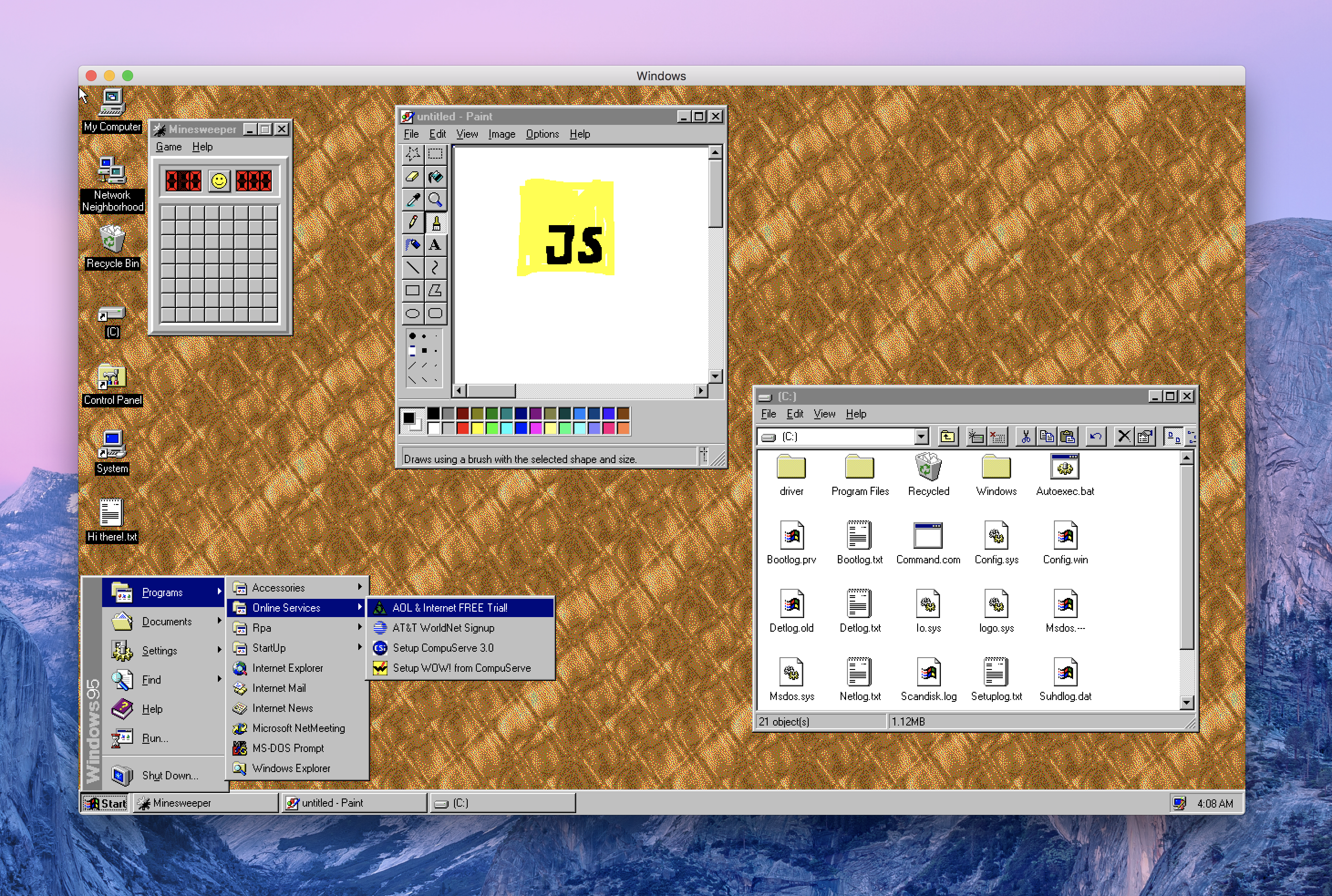
|
||||
|
||||
## Does it work?
|
||||
Yes! Quite well, actually - on macOS, Windows, and Linux.
|
||||
Yes! Quite well, actually - on macOS, Windows, and Linux. Bear in mind that this is written entirely in JavaScript, so please adjust your expectations.
|
||||
|
||||
## Should this have been a native app?
|
||||
Absolutely.
|
||||
@@ -23,9 +21,6 @@ You'll likely be better off with an actual virtualization app, but the short ans
|
||||
@DisplacedGamers](https://youtu.be/xDXqmdFxofM) I can recommend that you switch to a resolution of
|
||||
640x480 @ 256 colors before starting DOS games - just like in the good ol' days.
|
||||
|
||||
## How's the code?
|
||||
This only works well by accident and was mostly a joke. The code quality is accordingly. Thus it should not be used for anything other than personal amusement.
|
||||
|
||||
## Credits
|
||||
|
||||
99.999% of the work was done over at [v86](https://github.com/copy/v86/) by Copy.
|
||||
@@ -46,7 +41,11 @@ Once you've done so, run `npm install` and `npm start` to run your local build.
|
||||
|
||||
## Other Questions
|
||||
|
||||
* [MS-DOS seems to brick the screen](./HELP.md#ms-dos-seems-to-brick-the-screen)
|
||||
* [Windows 95 is stuck in a bad state](./HELP.md#windows-95-is-stuck-in-a-bad-state)
|
||||
* [I want to install additional apps or games](./HELP.md#i-want-to-install-additional-apps-or-games)
|
||||
* [Running in Docker](./docs/docker-instructions.md)
|
||||
* [Running in an online VM with Kubernetes and Gitpod](./docs/docker-kubernetes-gitpod.md)
|
||||
|
||||
## License
|
||||
|
||||
|
||||
BIN
assets/certs/apple.cer
Normal file
BIN
assets/certs/apple.cer
Normal file
Binary file not shown.
BIN
assets/certs/dac.cer
Normal file
BIN
assets/certs/dac.cer
Normal file
Binary file not shown.
@@ -27,7 +27,13 @@ Note: You may need to run `xhost +` on your system to allow connections to the X
|
||||
* [XQuartz](https://www.xquartz.org/)
|
||||
* [Docker](http://docker.io)
|
||||
|
||||
1. Start XQuartz ,go to "Preferences -> Security " ,and check the box "allow connections from network clients"
|
||||
2. restart XQuartz
|
||||
3. In the terminal ,run "xhost +"
|
||||
4. run "docker run -it -e DISPLAY=host.docker.internal:1 toolboc/windows95"
|
||||
1. Start XQuartz, go to `Preferences` -> `Security`, and check the box `Allow connections from network clients`
|
||||
2. Restart XQuartz
|
||||
3. In the terminal, run
|
||||
```
|
||||
xhost +
|
||||
```
|
||||
4. run
|
||||
```
|
||||
docker run -it -e DISPLAY=host.docker.internal:1 toolboc/windows95
|
||||
```
|
||||
|
||||
4
docs/docker-kubernetes-gitpod.md
Normal file
4
docs/docker-kubernetes-gitpod.md
Normal file
@@ -0,0 +1,4 @@
|
||||
## Running an online version of windows95
|
||||
You can also run windows95 in Electron, in a virtual X server, in a JavaScript VNC client, in a Kubernetes workspace. What could go wrong?
|
||||
|
||||
[](https://gitpod.io/#https://github.com/felixrieseberg/windows95)
|
||||
@@ -3,9 +3,7 @@ const package = require('./package.json');
|
||||
|
||||
module.exports = {
|
||||
packagerConfig: {
|
||||
asar: {
|
||||
unpack: '**/images/*.img'
|
||||
},
|
||||
asar: false,
|
||||
icon: path.resolve(__dirname, 'assets', 'icon'),
|
||||
appBundleId: 'com.felixrieseberg.windows95',
|
||||
appCategoryType: 'public.app-category.developer-tools',
|
||||
@@ -21,21 +19,23 @@ module.exports = {
|
||||
{
|
||||
name: '@electron-forge/maker-squirrel',
|
||||
platforms: ['win32'],
|
||||
config: {
|
||||
name: 'windows95',
|
||||
authors: 'Felix Rieseberg',
|
||||
exe: 'windows95.exe',
|
||||
noMsi: true,
|
||||
remoteReleases: '',
|
||||
setupExe: `windows95-${package.version}-setup-${process.arch}.exe`,
|
||||
setupIcon: path.resolve(__dirname, 'assets', 'icon.ico'),
|
||||
certificateFile: process.env.WINDOWS_CERTIFICATE_FILE,
|
||||
certificatePassword: process.env.WINDOWS_CERTIFICATE_PASSWORD
|
||||
config: (arch) => {
|
||||
return {
|
||||
name: 'windows95',
|
||||
authors: 'Felix Rieseberg',
|
||||
exe: 'windows95.exe',
|
||||
noMsi: true,
|
||||
remoteReleases: '',
|
||||
setupExe: `windows95-${package.version}-setup-${arch}.exe`,
|
||||
setupIcon: path.resolve(__dirname, 'assets', 'icon.ico'),
|
||||
certificateFile: process.env.WINDOWS_CERTIFICATE_FILE,
|
||||
certificatePassword: process.env.WINDOWS_CERTIFICATE_PASSWORD
|
||||
}
|
||||
}
|
||||
},
|
||||
{
|
||||
name: '@electron-forge/maker-zip',
|
||||
platforms: ['darwin']
|
||||
platforms: ['darwin', 'win32']
|
||||
},
|
||||
{
|
||||
name: '@electron-forge/maker-deb',
|
||||
@@ -44,10 +44,19 @@ module.exports = {
|
||||
{
|
||||
name: '@electron-forge/maker-rpm',
|
||||
platforms: ['linux']
|
||||
},
|
||||
}
|
||||
],
|
||||
publishers: [
|
||||
{
|
||||
name: '@electron-forge/maker-flatpak',
|
||||
platforms: ['linux']
|
||||
name: '@electron-forge/publisher-github',
|
||||
config: {
|
||||
repository: {
|
||||
owner: 'felixrieseberg',
|
||||
name: 'windows95'
|
||||
},
|
||||
draft: true,
|
||||
prerelease: true
|
||||
}
|
||||
}
|
||||
]
|
||||
};
|
||||
|
||||
3014
package-lock.json
generated
3014
package-lock.json
generated
File diff suppressed because it is too large
Load Diff
23
package.json
23
package.json
@@ -1,7 +1,7 @@
|
||||
{
|
||||
"name": "windows95",
|
||||
"productName": "windows95",
|
||||
"version": "1.4.0",
|
||||
"version": "2.1.1",
|
||||
"description": "Windows 95, in an app. I'm sorry.",
|
||||
"main": "src/index.js",
|
||||
"scripts": {
|
||||
@@ -28,19 +28,20 @@
|
||||
]
|
||||
},
|
||||
"dependencies": {
|
||||
"electron-default-menu": "^1.0.1",
|
||||
"electron-squirrel-startup": "^1.0.0",
|
||||
"fs-extra": "^7.0.0",
|
||||
"fs-extra": "^8.0.1",
|
||||
"update-electron-app": "^1.3.0"
|
||||
},
|
||||
"devDependencies": {
|
||||
"@electron-forge/cli": "^6.0.0-beta.30",
|
||||
"@electron-forge/maker-deb": "^6.0.0-beta.30",
|
||||
"@electron-forge/maker-flatpak": "^6.0.0-beta.30",
|
||||
"@electron-forge/maker-rpm": "^6.0.0-beta.30",
|
||||
"@electron-forge/maker-squirrel": "^6.0.0-beta.30",
|
||||
"@electron-forge/maker-zip": "^6.0.0-beta.30",
|
||||
"electron": "3.0.13",
|
||||
"standard": "^11.0.1"
|
||||
"@electron-forge/cli": "^6.0.0-beta.34",
|
||||
"@electron-forge/maker-deb": "^6.0.0-beta.34",
|
||||
"@electron-forge/maker-flatpak": "^6.0.0-beta.34",
|
||||
"@electron-forge/maker-rpm": "^6.0.0-beta.34",
|
||||
"@electron-forge/maker-squirrel": "^6.0.0-beta.34",
|
||||
"@electron-forge/maker-zip": "^6.0.0-beta.34",
|
||||
"@electron-forge/publisher-github": "^6.0.0-beta.34",
|
||||
"electron": "5.0.1",
|
||||
"node-abi": "^2.8.0",
|
||||
"standard": "^12.0.1"
|
||||
}
|
||||
}
|
||||
|
||||
24
src/constants.js
Normal file
24
src/constants.js
Normal file
@@ -0,0 +1,24 @@
|
||||
const { remote, app } = require('electron')
|
||||
const path = require('path')
|
||||
|
||||
const _app = app || remote.app
|
||||
|
||||
const CONSTANTS = {
|
||||
IMAGE_PATH: path.join(__dirname, 'images/windows95.img'),
|
||||
IMAGE_DEFAULT_SIZE: 1073741824, // 1GB
|
||||
DEFAULT_STATE_PATH: path.join(__dirname, 'images/default-state.bin'),
|
||||
STATE_PATH: path.join(_app.getPath('userData'), 'state-v2.bin')
|
||||
}
|
||||
|
||||
const IPC_COMMANDS = {
|
||||
TOGGLE_INFO: 'TOGGLE_INFO',
|
||||
MACHINE_RESTART: 'MACHINE_RESTART',
|
||||
MACHINE_RESET: 'MACHINE_RESET',
|
||||
MACHINE_CTRL_ALT_DEL: 'MACHINE_CTRL_ALT_DEL',
|
||||
SHOW_DISK_IMAGE: 'SHOW_DISK_IMAGE'
|
||||
}
|
||||
|
||||
module.exports = {
|
||||
CONSTANTS,
|
||||
IPC_COMMANDS
|
||||
}
|
||||
@@ -4,7 +4,14 @@ const path = require('path')
|
||||
|
||||
const ES6_PATH = path.join(__dirname, 'renderer')
|
||||
|
||||
protocol.registerStandardSchemes(['es6'])
|
||||
protocol.registerSchemesAsPrivileged([
|
||||
{
|
||||
scheme: 'es6',
|
||||
privileges: {
|
||||
standard: true
|
||||
}
|
||||
}
|
||||
])
|
||||
|
||||
async function setupProtocol () {
|
||||
protocol.registerBufferProtocol('es6', async (req, cb) => {
|
||||
|
||||
@@ -1,7 +1,6 @@
|
||||
const { app, BrowserWindow } = require('electron')
|
||||
const path = require('path')
|
||||
|
||||
const { clearCaches } = require('./cache')
|
||||
const { createMenu } = require('./menu')
|
||||
const { setupProtocol } = require('./es6')
|
||||
|
||||
@@ -21,8 +20,8 @@ let mainWindow
|
||||
const createWindow = () => {
|
||||
// Create the browser window.
|
||||
mainWindow = new BrowserWindow({
|
||||
width: 1280,
|
||||
height: 800,
|
||||
width: 1024,
|
||||
height: 768,
|
||||
useContentSize: true,
|
||||
webPreferences: {
|
||||
nodeIntegration: false,
|
||||
@@ -40,7 +39,6 @@ const createWindow = () => {
|
||||
app.on('ready', async () => {
|
||||
await setupProtocol()
|
||||
await createMenu()
|
||||
await clearCaches()
|
||||
|
||||
createWindow()
|
||||
})
|
||||
|
||||
222
src/menu.js
222
src/menu.js
@@ -1,8 +1,10 @@
|
||||
const { app, shell, Menu, BrowserWindow } = require('electron')
|
||||
const defaultMenu = require('electron-default-menu')
|
||||
|
||||
const { clearCaches } = require('./cache')
|
||||
const { IPC_COMMANDS } = require('./constants')
|
||||
|
||||
const LINKS = {
|
||||
homepage: 'https://www.felixrieseberg.com',
|
||||
homepage: 'https://www.twitter.com/felixrieseberg',
|
||||
repo: 'https://github.com/felixrieseberg/windows95',
|
||||
credits: 'https://github.com/felixrieseberg/windows95/blob/master/CREDITS.md',
|
||||
help: 'https://github.com/felixrieseberg/windows95/blob/master/HELP.md'
|
||||
@@ -17,74 +19,162 @@ function send (cmd) {
|
||||
}
|
||||
|
||||
async function createMenu () {
|
||||
const menu = defaultMenu(app, shell)
|
||||
.map((item) => {
|
||||
if (item.label === 'View') {
|
||||
item.submenu = item.submenu.filter((subItem) => {
|
||||
return subItem.label !== 'Reload'
|
||||
})
|
||||
}
|
||||
|
||||
if (item.label === 'Help') {
|
||||
item.submenu = [
|
||||
{
|
||||
label: 'Author',
|
||||
click() {
|
||||
shell.openExternal(LINKS.homepage)
|
||||
},
|
||||
},
|
||||
{
|
||||
label: 'Learn More',
|
||||
click() {
|
||||
shell.openExternal(LINKS.repo)
|
||||
},
|
||||
},
|
||||
{
|
||||
type: 'separator'
|
||||
},
|
||||
{
|
||||
label: 'Help',
|
||||
click() {
|
||||
shell.openExternal(LINKS.help)
|
||||
}
|
||||
},
|
||||
{
|
||||
label: 'Credits',
|
||||
click() {
|
||||
shell.openExternal(LINKS.credits)
|
||||
}
|
||||
const template = [
|
||||
{
|
||||
label: 'View',
|
||||
submenu: [
|
||||
{
|
||||
label: 'Toggle Full Screen',
|
||||
accelerator: (function () {
|
||||
if (process.platform === 'darwin') { return 'Ctrl+Command+F' } else { return 'F11' }
|
||||
})(),
|
||||
click: function (_item, focusedWindow) {
|
||||
if (focusedWindow) { focusedWindow.setFullScreen(!focusedWindow.isFullScreen()) }
|
||||
}
|
||||
]
|
||||
}
|
||||
},
|
||||
{
|
||||
label: 'Toggle Developer Tools',
|
||||
accelerator: (function () {
|
||||
if (process.platform === 'darwin') { return 'Alt+Command+I' } else { return 'Ctrl+Shift+I' }
|
||||
})(),
|
||||
click: function (_item, focusedWindow) {
|
||||
if (focusedWindow) { focusedWindow.toggleDevTools() }
|
||||
}
|
||||
},
|
||||
{
|
||||
type: 'separator'
|
||||
},
|
||||
{
|
||||
label: 'Toggle Emulator Info',
|
||||
click: () => send(IPC_COMMANDS.TOGGLE_INFO)
|
||||
}
|
||||
]
|
||||
},
|
||||
{
|
||||
label: 'Window',
|
||||
role: 'window',
|
||||
submenu: [
|
||||
{
|
||||
label: 'Minimize',
|
||||
accelerator: 'CmdOrCtrl+M',
|
||||
role: 'minimize'
|
||||
},
|
||||
{
|
||||
label: 'Close',
|
||||
accelerator: 'CmdOrCtrl+W',
|
||||
role: 'close'
|
||||
}
|
||||
]
|
||||
},
|
||||
{
|
||||
label: 'Machine',
|
||||
submenu: [
|
||||
{
|
||||
label: 'Send Ctrl+Alt+Del',
|
||||
click: () => send(IPC_COMMANDS.MACHINE_CTRL_ALT_DEL)
|
||||
},
|
||||
{
|
||||
label: 'Restart',
|
||||
click: () => send(IPC_COMMANDS.MACHINE_RESTART)
|
||||
},
|
||||
{
|
||||
label: 'Reset',
|
||||
click: () => send(IPC_COMMANDS.MACHINE_RESET)
|
||||
},
|
||||
{
|
||||
type: 'separator'
|
||||
},
|
||||
{
|
||||
label: 'Go to Disk Image',
|
||||
click: () => send(IPC_COMMANDS.SHOW_DISK_IMAGE)
|
||||
}
|
||||
]
|
||||
},
|
||||
{
|
||||
label: 'Help',
|
||||
role: 'help',
|
||||
submenu: [
|
||||
{
|
||||
label: 'Author',
|
||||
click: () => shell.openExternal(LINKS.homepage)
|
||||
},
|
||||
{
|
||||
label: 'windows95 on GitHub',
|
||||
click: () => shell.openExternal(LINKS.repo)
|
||||
},
|
||||
{
|
||||
label: 'Help',
|
||||
click: () => shell.openExternal(LINKS.help)
|
||||
},
|
||||
{
|
||||
type: 'separator'
|
||||
},
|
||||
{
|
||||
label: 'Troubleshooting',
|
||||
submenu: [
|
||||
{
|
||||
label: 'Clear Cache and Restart',
|
||||
async click () {
|
||||
await clearCaches()
|
||||
|
||||
return item
|
||||
})
|
||||
.filter((item) => {
|
||||
return item.label !== 'Edit'
|
||||
app.relaunch()
|
||||
app.quit()
|
||||
}
|
||||
}
|
||||
]
|
||||
}
|
||||
]
|
||||
}
|
||||
]
|
||||
|
||||
if (process.platform === 'darwin') {
|
||||
template.unshift({
|
||||
label: 'windows95',
|
||||
submenu: [
|
||||
{
|
||||
label: 'About windows95',
|
||||
role: 'about'
|
||||
},
|
||||
{
|
||||
type: 'separator'
|
||||
},
|
||||
{
|
||||
label: 'Services',
|
||||
role: 'services',
|
||||
submenu: []
|
||||
},
|
||||
{
|
||||
type: 'separator'
|
||||
},
|
||||
{
|
||||
label: 'Hide windows95',
|
||||
accelerator: 'Command+H',
|
||||
role: 'hide'
|
||||
},
|
||||
{
|
||||
label: 'Hide Others',
|
||||
accelerator: 'Command+Shift+H',
|
||||
role: 'hideothers'
|
||||
},
|
||||
{
|
||||
label: 'Show All',
|
||||
role: 'unhide'
|
||||
},
|
||||
{
|
||||
type: 'separator'
|
||||
},
|
||||
{
|
||||
label: 'Quit',
|
||||
accelerator: 'Command+Q',
|
||||
click () {
|
||||
app.quit()
|
||||
}
|
||||
}
|
||||
]
|
||||
})
|
||||
}
|
||||
|
||||
menu.splice(1, 0, {
|
||||
label: 'Machine',
|
||||
submenu: [
|
||||
{
|
||||
label: 'Send Ctrl+Alt+Del',
|
||||
click: () => send('ctrlaltdel')
|
||||
},
|
||||
{
|
||||
label: 'Restart',
|
||||
click: () => send('restart')
|
||||
},
|
||||
{
|
||||
type: 'separator'
|
||||
},
|
||||
{
|
||||
label: 'Go to Disk Image',
|
||||
click: () => send('disk-image')
|
||||
}
|
||||
]
|
||||
})
|
||||
|
||||
Menu.setApplicationMenu(Menu.buildFromTemplate(menu))
|
||||
Menu.setApplicationMenu(Menu.buildFromTemplate(template))
|
||||
}
|
||||
|
||||
module.exports = {
|
||||
|
||||
@@ -1,45 +1,42 @@
|
||||
const { remote, shell, ipcRenderer } = require('electron')
|
||||
const path = require('path')
|
||||
const EventEmitter = require('events')
|
||||
|
||||
const { STATE_PATH, resetState, restoreState, saveState } = require('./state')
|
||||
const { resetState, restoreState, saveState } = require('./state')
|
||||
const { getDiskImageSize } = require('./utils/disk-image-size')
|
||||
const { IPC_COMMANDS, CONSTANTS } = require('./constants')
|
||||
|
||||
window.windows95 = {
|
||||
STATE_PATH,
|
||||
restoreState,
|
||||
resetState,
|
||||
saveState,
|
||||
class Windows95 extends EventEmitter {
|
||||
constructor () {
|
||||
super()
|
||||
|
||||
// Constants
|
||||
this.CONSTANTS = CONSTANTS
|
||||
this.IPC_COMMANDS = IPC_COMMANDS
|
||||
|
||||
// Methods
|
||||
this.getDiskImageSize = getDiskImageSize
|
||||
this.restoreState = restoreState
|
||||
this.resetState = resetState
|
||||
this.saveState = saveState
|
||||
|
||||
Object.keys(IPC_COMMANDS).forEach((command) => {
|
||||
ipcRenderer.on(command, (...args) => {
|
||||
this.emit(command, args)
|
||||
})
|
||||
})
|
||||
}
|
||||
|
||||
showDiskImage () {
|
||||
const imagePath = path.join(__dirname, 'images/windows95.img')
|
||||
.replace('app.asar', 'app.asar.unpacked')
|
||||
|
||||
shell.showItemInFolder(imagePath)
|
||||
},
|
||||
}
|
||||
|
||||
quit: () => remote.app.quit()
|
||||
quit () {
|
||||
remote.app.quit()
|
||||
}
|
||||
}
|
||||
|
||||
ipcRenderer.on('ctrlaltdel', () => {
|
||||
if (!window.emulator || !window.emulator.is_running) return
|
||||
|
||||
window.emulator.keyboard_send_scancodes([
|
||||
0x1D, // ctrl
|
||||
0x38, // alt
|
||||
0x53, // delete
|
||||
|
||||
// break codes
|
||||
0x1D | 0x80,
|
||||
0x38 | 0x80,
|
||||
0x53 | 0x80
|
||||
])
|
||||
})
|
||||
|
||||
ipcRenderer.on('restart', () => {
|
||||
if (!window.emulator || !window.emulator.is_running) return
|
||||
|
||||
window.emulator.restart()
|
||||
})
|
||||
|
||||
ipcRenderer.on('disk-image', () => {
|
||||
windows95.showDiskImage()
|
||||
})
|
||||
window.windows95 = new Windows95()
|
||||
|
||||
@@ -1,8 +1,9 @@
|
||||
export function setupState () {
|
||||
window.appState = {
|
||||
isResetting: false,
|
||||
isQuitting: false,
|
||||
cursorCaptured: false,
|
||||
floppyFile: null,
|
||||
bootFresh: false,
|
||||
infoInterval: null
|
||||
bootFresh: false
|
||||
}
|
||||
}
|
||||
|
||||
Binary file not shown.
Binary file not shown.
@@ -13,7 +13,7 @@ export function setupButtons (start) {
|
||||
$('#discard-state').addEventListener('click', () => {
|
||||
window.appState.bootFresh = true
|
||||
|
||||
start('win95')
|
||||
start()
|
||||
})
|
||||
|
||||
// Floppy
|
||||
|
||||
@@ -14,7 +14,7 @@
|
||||
<div id="status">
|
||||
Disk: <span id="disk-status">Idle</span>
|
||||
| CPU Speed: <span id="cpu-status">0</span>
|
||||
| <a onclick="document.querySelector('#status').style.display='none'">Hide</a>
|
||||
| <a href="#" id="toggle-status">Hide</a>
|
||||
</div>
|
||||
<div id="buttons">
|
||||
<div id="start-buttons">
|
||||
|
||||
@@ -1,28 +1,63 @@
|
||||
const $ = document.querySelector.bind(document)
|
||||
const status = $('#status')
|
||||
const diskStatus = $('#disk-status')
|
||||
const cpuStatus = $('#cpu-status')
|
||||
const toggleStatus = $('#toggle-status')
|
||||
|
||||
export function setupInfo () {
|
||||
const diskStatus = $('#disk-status')
|
||||
const cpuStatus = $('#cpu-status')
|
||||
let lastCounter = 0
|
||||
let lastTick = 0
|
||||
let lastCounter = 0
|
||||
let lastTick = 0
|
||||
let infoInterval = null
|
||||
|
||||
window.emulator.add_listener('ide-read-start', () => {
|
||||
diskStatus.innerHTML = 'Read'
|
||||
})
|
||||
const onIDEReadStart = () => {
|
||||
diskStatus.innerHTML = 'Read'
|
||||
}
|
||||
|
||||
window.emulator.add_listener('ide-read-end', () => {
|
||||
diskStatus.innerHTML = 'Idle'
|
||||
})
|
||||
const onIDEReadWriteEnd = () => {
|
||||
diskStatus.innerHTML = 'Idle'
|
||||
}
|
||||
|
||||
window.emulator.add_listener('ide-write-end', () => {
|
||||
diskStatus.innerHTML = 'Idle'
|
||||
})
|
||||
toggleStatus.onclick = toggleInfo
|
||||
|
||||
window.emulator.add_listener('screen-set-size-graphical', (...args) => {
|
||||
console.log(...args)
|
||||
})
|
||||
/**
|
||||
* Toggle the information display
|
||||
*/
|
||||
export function toggleInfo () {
|
||||
if (status.style.display !== 'none') {
|
||||
disableInfo()
|
||||
} else {
|
||||
enableInfo()
|
||||
}
|
||||
}
|
||||
|
||||
setInterval(() => {
|
||||
/**
|
||||
* Start information gathering, but only if the panel is visible
|
||||
*/
|
||||
export function startInfoMaybe () {
|
||||
if (status.style.display !== 'none') {
|
||||
enableInfo()
|
||||
}
|
||||
}
|
||||
|
||||
/**
|
||||
* Enable the gathering of information (and hide the little information tab)
|
||||
*/
|
||||
export function enableInfo () {
|
||||
// Show the info thingy
|
||||
status.style.display = 'block'
|
||||
|
||||
// We can only do the rest with an emulator
|
||||
if (!window.emulator.add_listener) {
|
||||
return
|
||||
}
|
||||
|
||||
// Set listeners
|
||||
window.emulator.add_listener('ide-read-start', onIDEReadStart)
|
||||
window.emulator.add_listener('ide-read-end', onIDEReadWriteEnd)
|
||||
window.emulator.add_listener('ide-write-end', onIDEReadWriteEnd)
|
||||
window.emulator.add_listener('screen-set-size-graphical', console.log)
|
||||
|
||||
// Set an interval
|
||||
infoInterval = setInterval(() => {
|
||||
const now = Date.now()
|
||||
const instructionCounter = window.emulator.get_instruction_counter()
|
||||
const ips = instructionCounter - lastCounter
|
||||
@@ -34,3 +69,26 @@ export function setupInfo () {
|
||||
cpuStatus.innerHTML = Math.round(ips / deltaTime)
|
||||
}, 500)
|
||||
}
|
||||
|
||||
/**
|
||||
* Disable the gathering of information (and hide the little information tab)
|
||||
*/
|
||||
export function disableInfo () {
|
||||
// Hide the info thingy
|
||||
status.style.display = 'none'
|
||||
|
||||
// Clear the interval
|
||||
clearInterval(infoInterval)
|
||||
infoInterval = null
|
||||
|
||||
// We can only do the rest with an emulator
|
||||
if (!window.emulator.remove_listener) {
|
||||
return
|
||||
}
|
||||
|
||||
// Unset the listeners
|
||||
window.emulator.remove_listener('ide-read-start', onIDEReadStart)
|
||||
window.emulator.remove_listener('ide-read-end', onIDEReadWriteEnd)
|
||||
window.emulator.remove_listener('ide-write-end', onIDEReadWriteEnd)
|
||||
window.emulator.remove_listener('screen-set-size-graphical', console.log)
|
||||
}
|
||||
|
||||
44
src/renderer/ipc.js
Normal file
44
src/renderer/ipc.js
Normal file
@@ -0,0 +1,44 @@
|
||||
import { toggleInfo } from 'es6://info.js'
|
||||
|
||||
export function setupIpcListeners (start) {
|
||||
const { windows95 } = window
|
||||
|
||||
windows95.addListener(windows95.IPC_COMMANDS.TOGGLE_INFO, () => {
|
||||
toggleInfo()
|
||||
})
|
||||
|
||||
windows95.addListener(windows95.IPC_COMMANDS.MACHINE_RESTART, () => {
|
||||
console.log(`Restarting machine`)
|
||||
|
||||
if (!window.emulator || !window.emulator.is_running) return
|
||||
|
||||
window.emulator.restart()
|
||||
})
|
||||
|
||||
windows95.addListener(windows95.IPC_COMMANDS.MACHINE_RESET, () => {
|
||||
console.log(`Resetting machine`)
|
||||
|
||||
window.appState.isResetting = true
|
||||
document.location.hash = `#AUTO_START`
|
||||
document.location.reload()
|
||||
})
|
||||
|
||||
windows95.addListener(windows95.IPC_COMMANDS.MACHINE_CTRL_ALT_DEL, () => {
|
||||
if (!window.emulator || !window.emulator.is_running) return
|
||||
|
||||
window.emulator.keyboard_send_scancodes([
|
||||
0x1D, // ctrl
|
||||
0x38, // alt
|
||||
0x53, // delete
|
||||
|
||||
// break codes
|
||||
0x1D | 0x80,
|
||||
0x38 | 0x80,
|
||||
0x53 | 0x80
|
||||
])
|
||||
})
|
||||
|
||||
windows95.addListener(windows95.IPC_COMMANDS.SHOW_DISK_IMAGE, () => {
|
||||
windows95.showDiskImage()
|
||||
})
|
||||
}
|
||||
@@ -9,6 +9,7 @@ export function setupCloseListener () {
|
||||
|
||||
window.onbeforeunload = (event) => {
|
||||
if (window.appState.isQuitting) return
|
||||
if (window.appState.isResetting) return
|
||||
|
||||
handleClose()
|
||||
event.preventDefault()
|
||||
@@ -22,6 +23,7 @@ export function setupEscListener () {
|
||||
if (evt.keyCode === 27) {
|
||||
if (window.appState.cursorCaptured) {
|
||||
window.appState.cursorCaptured = false
|
||||
window.emulator.mouse_set_status(false)
|
||||
document.exitPointerLock()
|
||||
} else {
|
||||
window.appState.cursorCaptured = true
|
||||
@@ -31,11 +33,15 @@ export function setupEscListener () {
|
||||
}
|
||||
}
|
||||
|
||||
export function setupClickListener () {
|
||||
document.addEventListener('click', () => {
|
||||
if (!window.appState.cursorCaptured) {
|
||||
window.appState.cursorCaptured = true
|
||||
window.emulator.lock_mouse()
|
||||
}
|
||||
})
|
||||
function onDocumentClick () {
|
||||
if (!window.appState.cursorCaptured) {
|
||||
window.appState.cursorCaptured = true
|
||||
window.emulator.mouse_set_status(true)
|
||||
window.emulator.lock_mouse()
|
||||
}
|
||||
}
|
||||
|
||||
export function setupClickListener () {
|
||||
document.removeEventListener('click', onDocumentClick)
|
||||
document.addEventListener('click', onDocumentClick)
|
||||
}
|
||||
|
||||
@@ -1,7 +1,9 @@
|
||||
/* We're using modern esm imports here */
|
||||
import { setupState } from 'es6://app-state.js'
|
||||
import { setupClickListener, setupEscListener, setupCloseListener } from 'es6://listeners.js'
|
||||
import { toggleButtons, setupButtons } from 'es6://buttons.js'
|
||||
import { setupInfo } from 'es6://info.js'
|
||||
import { startInfoMaybe } from 'es6://info.js'
|
||||
import { setupIpcListeners } from 'es6://ipc.js'
|
||||
|
||||
setupState()
|
||||
|
||||
@@ -9,9 +11,10 @@ setupState()
|
||||
* The main method executing the VM.
|
||||
*/
|
||||
async function main () {
|
||||
// New v86 instance
|
||||
window.emulator = new V86Starter({
|
||||
memory_size: 64 * 1024 * 1024,
|
||||
const imageSize = await window.windows95.getDiskImageSize()
|
||||
const options = {
|
||||
memory_size: 128 * 1024 * 1024,
|
||||
video_memory_size: 32 * 1024 * 1024,
|
||||
screen_container: document.getElementById('emulator'),
|
||||
bios: {
|
||||
url: './bios/seabios.bin'
|
||||
@@ -22,21 +25,19 @@ async function main () {
|
||||
hda: {
|
||||
url: '../images/windows95.img',
|
||||
async: true,
|
||||
size: 242049024
|
||||
size: imageSize
|
||||
},
|
||||
fda: {
|
||||
buffer: window.appState.floppyFile || undefined
|
||||
},
|
||||
boot_order: 0x132
|
||||
})
|
||||
|
||||
// High DPI support
|
||||
if (navigator.userAgent.includes('Windows')) {
|
||||
const scale = window.devicePixelRatio
|
||||
|
||||
window.emulator.screen_adapter.set_scale(scale, scale)
|
||||
}
|
||||
|
||||
console.log(`Starting emulator with options`, options)
|
||||
|
||||
// New v86 instance
|
||||
window.emulator = new V86Starter(options)
|
||||
|
||||
// Restore state. We can't do this right away
|
||||
// and randomly chose 500ms as the appropriate
|
||||
// wait time (lol)
|
||||
@@ -45,7 +46,7 @@ async function main () {
|
||||
windows95.restoreState()
|
||||
}
|
||||
|
||||
setupInfo()
|
||||
startInfoMaybe()
|
||||
|
||||
window.appState.cursorCaptured = true
|
||||
window.emulator.lock_mouse()
|
||||
@@ -61,6 +62,11 @@ function start () {
|
||||
main()
|
||||
}
|
||||
|
||||
setupIpcListeners(start)
|
||||
setupEscListener()
|
||||
setupCloseListener()
|
||||
setupButtons(start)
|
||||
|
||||
if (document.location.hash.includes('AUTO_START')) {
|
||||
start()
|
||||
}
|
||||
|
||||
37
src/state.js
37
src/state.js
@@ -1,9 +1,6 @@
|
||||
const fs = require('fs-extra')
|
||||
const path = require('path')
|
||||
const { remote } = require('electron')
|
||||
|
||||
const DEFAULT_PATH = path.join(__dirname, 'images/default-state.bin')
|
||||
const STATE_PATH = path.join(remote.app.getPath('userData'), 'state.bin')
|
||||
const { CONSTANTS } = require('./constants')
|
||||
|
||||
/**
|
||||
* Returns the current machine's state - either what
|
||||
@@ -12,11 +9,13 @@ const STATE_PATH = path.join(remote.app.getPath('userData'), 'state.bin')
|
||||
* @returns {ArrayBuffer}
|
||||
*/
|
||||
function getState () {
|
||||
const statePath = fs.existsSync(STATE_PATH)
|
||||
? STATE_PATH
|
||||
: DEFAULT_PATH
|
||||
const statePath = fs.existsSync(CONSTANTS.STATE_PATH)
|
||||
? CONSTANTS.STATE_PATH
|
||||
: CONSTANTS.DEFAULT_STATE_PATH
|
||||
|
||||
return fs.readFileSync(statePath).buffer
|
||||
if (fs.existsSync(statePath)) {
|
||||
return fs.readFileSync(statePath).buffer
|
||||
}
|
||||
}
|
||||
|
||||
/**
|
||||
@@ -25,8 +24,8 @@ function getState () {
|
||||
* @returns {Promise<void>}
|
||||
*/
|
||||
async function resetState () {
|
||||
if (fs.existsSync(STATE_PATH)) {
|
||||
return fs.remove(STATE_PATH)
|
||||
if (fs.existsSync(CONSTANTS.STATE_PATH)) {
|
||||
return fs.remove(CONSTANTS.STATE_PATH)
|
||||
}
|
||||
}
|
||||
|
||||
@@ -43,13 +42,13 @@ async function saveState () {
|
||||
|
||||
window.emulator.save_state(async (error, newState) => {
|
||||
if (error) {
|
||||
console.log(error)
|
||||
console.warn(`State: Could not save state`, error)
|
||||
return
|
||||
}
|
||||
|
||||
await fs.outputFile(STATE_PATH, Buffer.from(newState))
|
||||
await fs.outputFile(CONSTANTS.STATE_PATH, Buffer.from(newState))
|
||||
|
||||
console.log(`Saved state to ${STATE_PATH}`)
|
||||
console.log(`State: Saved state to ${CONSTANTS.STATE_PATH}`)
|
||||
|
||||
resolve()
|
||||
})
|
||||
@@ -60,15 +59,21 @@ async function saveState () {
|
||||
* Restores the VM's state.
|
||||
*/
|
||||
function restoreState () {
|
||||
const state = getState()
|
||||
|
||||
// Nothing to do with if we don't have a state
|
||||
if (!state) {
|
||||
console.log(`State: No state present, not restoring.`)
|
||||
}
|
||||
|
||||
try {
|
||||
window.emulator.restore_state(getState())
|
||||
window.emulator.restore_state(state)
|
||||
} catch (error) {
|
||||
console.log(`Could not read state file. Maybe none exists?`, error)
|
||||
console.log(`State: Could not read state file. Maybe none exists?`, error)
|
||||
}
|
||||
}
|
||||
|
||||
module.exports = {
|
||||
STATE_PATH,
|
||||
saveState,
|
||||
restoreState,
|
||||
resetState,
|
||||
|
||||
26
src/utils/disk-image-size.js
Normal file
26
src/utils/disk-image-size.js
Normal file
@@ -0,0 +1,26 @@
|
||||
const fs = require('fs-extra')
|
||||
|
||||
const { CONSTANTS } = require('../constants')
|
||||
|
||||
/**
|
||||
* Get the size of the disk image
|
||||
*
|
||||
* @returns {number}
|
||||
*/
|
||||
async function getDiskImageSize () {
|
||||
try {
|
||||
const stats = await fs.stat(CONSTANTS.IMAGE_PATH)
|
||||
|
||||
if (stats) {
|
||||
return stats.size
|
||||
}
|
||||
} catch (error) {
|
||||
console.warn(`Could not determine image size`, error)
|
||||
}
|
||||
|
||||
return CONSTANTS.IMAGE_DEFAULT_SIZE
|
||||
}
|
||||
|
||||
module.exports = {
|
||||
getDiskImageSize
|
||||
}
|
||||
Reference in New Issue
Block a user