mirror of
https://github.com/felixrieseberg/windows95.git
synced 2026-05-14 18:31:59 +00:00
Compare commits
13 Commits
| Author | SHA1 | Date | |
|---|---|---|---|

|
b794954da4 | ||
|
|
18a73c45a0 | ||
|
|
b83914060f | ||
|
|
93955564d9 | ||
|
|
d31920aaf4 | ||
|
|
cdfe47d92b | ||
|
|
b8259784e7 | ||
|
|
b70b9fabd5 | ||
|
|
f2c1fc4142 | ||
|
|
aeba364a7a | ||
|
|
a34ce54b56 | ||
|
|
e1477bfc05 | ||
|
|
71d6f16318 |
6
HELP.md
6
HELP.md
@@ -1,5 +1,11 @@
|
||||
# Help & Commonly Asked Questions
|
||||
|
||||
## MS-DOS seems to brick the screen
|
||||
Hit `Alt + Enter` to make the command screen "full screen" (as far as Windows 95 is
|
||||
concerned). This should restore the display from the garbled mess you see and allow
|
||||
you to access the command prompt. Press Alt-Enter again to leave full screen and go
|
||||
back to a window mode. (Thanks to @DisplacedGamer for that wisdom)
|
||||
|
||||
## Windows 95 is stuck in a bad state
|
||||
|
||||
Restart the application and click on the "Reset machine & delete state" button.
|
||||
|
||||
14
README.md
14
README.md
@@ -1,13 +1,19 @@
|
||||
# windows95
|
||||
|
||||
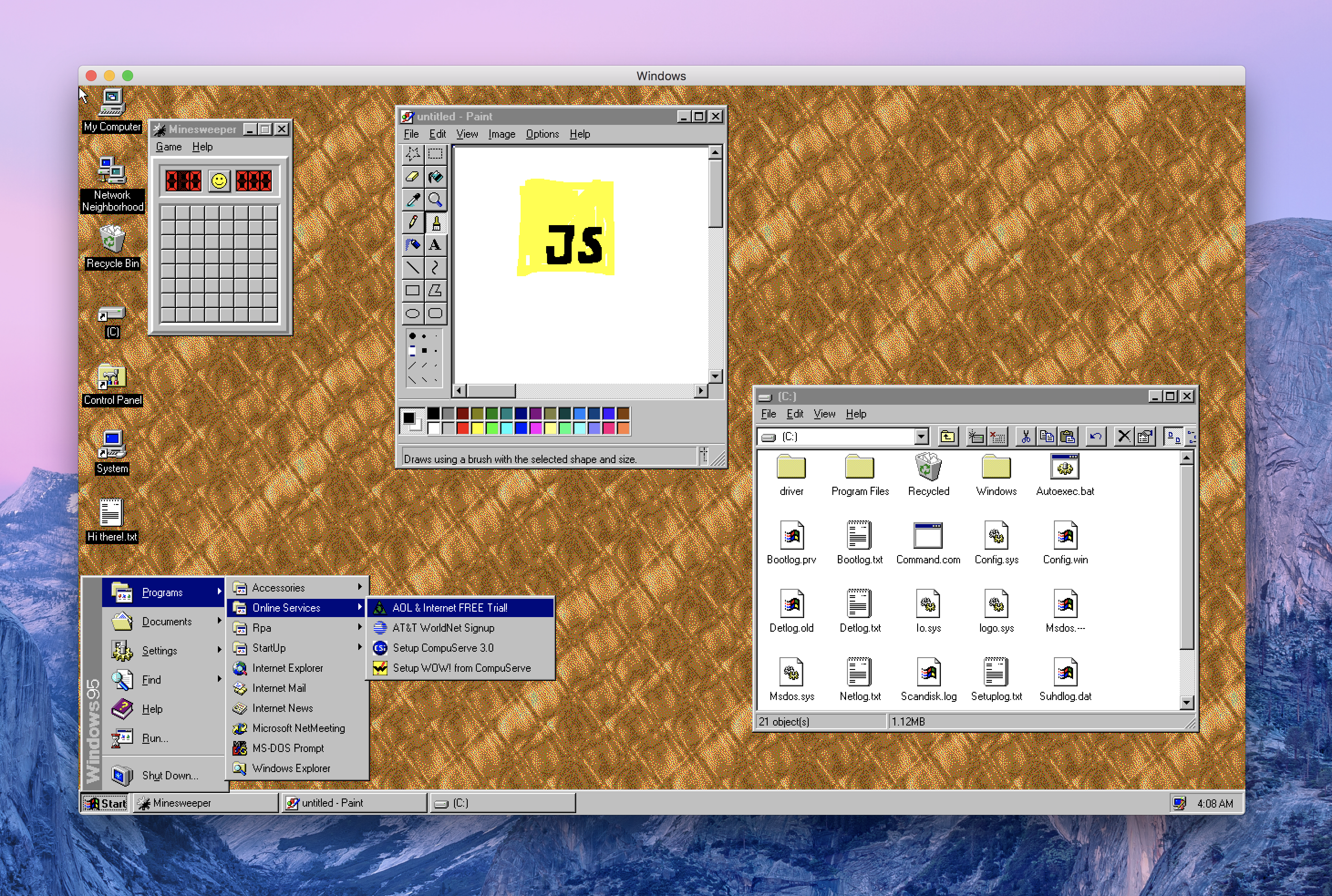
This is Windows 95, running in an Electron app. Yes, it's the full thing. I'm sorry.
|
||||
This is Windows 95, running in an [Electron](https://electronjs.org/) app. Yes, it's the full thing. I'm sorry.
|
||||
|
||||
## 💿⏬ [Download it here](https://github.com/felixrieseberg/windows95/releases).
|
||||
Interested in Electron? Join as at [CovalenceConf](http://covalenceconf.com) in San Francisco!
|
||||
|
||||
## Downloads
|
||||
| | Windows | macOS | Linux |
|
||||
|---------------------|-----------------------------------------------------------------------------------------------------------------------------------------------------------------------------------------------------------------------------------------------------------------------------|---------------------------------------------------------------------------------------------------------------|---------------------------------------------------------------------------------------------------------------------------------------------------------------------------------------------------------------------------------------------|
|
||||
| Standalone Download | 📦[Standalone, 32-bit](https://github.com/felixrieseberg/windows95/releases/download/v1.3.0/windows95-win32-1.3.0-standalone-ia32.zip) <br /> 📦[Standalone, 64-bit](https://github.com/felixrieseberg/windows95/releases/download/v1.3.0/windows95-win32-1.3.0-standalone-x64.zip) | 📦[Standalone](https://github.com/felixrieseberg/windows95/releases/download/v1.3.0/windows95-macos-1.3.0.zip) | |
|
||||
| Installer | 💽[Setup, 64-bit](https://github.com/felixrieseberg/windows95/releases/download/v1.3.0/windows95-win32-1.3.0-setup-x64.exe) <br /> 💽[Setup, 32-bit](https://github.com/felixrieseberg/windows95/releases/download/v1.3.0/windows95-win32-1.3.0-setup-ia32.exe) | | 💽[deb, 64-bit](https://github.com/felixrieseberg/windows95/releases/download/v1.3.0/windows95-linux_1.3.0_amd64.deb) <br /> 💽[rpm, 64-bit](https://github.com/felixrieseberg/windows95/releases/download/v1.3.0/windows95-linux-1.3.0.x86_64.rpm) |
|
||||
|
||||
|
||||
|
||||
## Does it work?
|
||||
Yes! Quite well, actually.
|
||||
Yes! Quite well, actually - on macOS, Windows, and Linux.
|
||||
|
||||
## Should this have been a native app?
|
||||
Absolutely.
|
||||
@@ -18,7 +24,7 @@ You'll likely be better off with an actual virtualization app, but the short ans
|
||||
640x480 @ 256 colors before starting DOS games - just like in the good ol' days.
|
||||
|
||||
## How's the code?
|
||||
This only works well by accident and was mostly a joke. The code quality is accordingly.
|
||||
This only works well by accident and was mostly a joke. The code quality is accordingly. Thus it should not be used for anything other than personal amusement.
|
||||
|
||||
## Credits
|
||||
|
||||
|
||||
@@ -1,4 +1,4 @@
|
||||
# Running Windows 95 in Docker
|
||||
# Running windows95 in Docker
|
||||
|
||||
## Display using a volume mount of the host X11 Unix Socket (Linux Only):
|
||||
|
||||
@@ -18,8 +18,16 @@ Note: You may need to run `xhost +` on your system to allow connections to the X
|
||||
* [Docker](http://docker.io)
|
||||
|
||||
1. Start the Xming X11 Server
|
||||
2. Obtain the ip of the host machine running the Xming server
|
||||
3. Edit X0.hosts (Located in the install directory of Xming) by adding the ip of the host machine obtained in step 2
|
||||
4. Run the command below and replace the `<XmingServerHostIp>` placeholder with the ip from step 2
|
||||
2. Run the command below:
|
||||
|
||||
docker run -it -e DISPLAY=<XmingServerHostIp> --name windows95 toolboc/windows95
|
||||
docker run -e DISPLAY=host.docker.internal:0 --name windows95 toolboc/windows95
|
||||
|
||||
## Display using the host XQuartz Server (MacOS Only):
|
||||
**Requirements:**
|
||||
* [XQuartz](https://www.xquartz.org/)
|
||||
* [Docker](http://docker.io)
|
||||
|
||||
1. Start XQuartz ,go to "Preferences -> Security " ,and check the box "allow connections from network clients"
|
||||
2. restart XQuartz
|
||||
3. In the terminal ,run "xhost +"
|
||||
4. run "docker run -it -e DISPLAY=host.docker.internal:1 toolboc/windows95"
|
||||
|
||||
1307
package-lock.json
generated
1307
package-lock.json
generated
File diff suppressed because it is too large
Load Diff
16
package.json
16
package.json
@@ -1,7 +1,7 @@
|
||||
{
|
||||
"name": "windows95",
|
||||
"productName": "windows95",
|
||||
"version": "1.3.0",
|
||||
"version": "1.4.0",
|
||||
"description": "Windows 95, in an app. I'm sorry.",
|
||||
"main": "src/index.js",
|
||||
"scripts": {
|
||||
@@ -34,13 +34,13 @@
|
||||
"update-electron-app": "^1.3.0"
|
||||
},
|
||||
"devDependencies": {
|
||||
"@electron-forge/cli": "^6.0.0-beta.22",
|
||||
"@electron-forge/maker-deb": "^6.0.0-beta.22",
|
||||
"@electron-forge/maker-flatpak": "^6.0.0-beta.22",
|
||||
"@electron-forge/maker-rpm": "^6.0.0-beta.22",
|
||||
"@electron-forge/maker-squirrel": "^6.0.0-beta.22",
|
||||
"@electron-forge/maker-zip": "^6.0.0-beta.22",
|
||||
"electron": "3.0.0-beta.6",
|
||||
"@electron-forge/cli": "^6.0.0-beta.30",
|
||||
"@electron-forge/maker-deb": "^6.0.0-beta.30",
|
||||
"@electron-forge/maker-flatpak": "^6.0.0-beta.30",
|
||||
"@electron-forge/maker-rpm": "^6.0.0-beta.30",
|
||||
"@electron-forge/maker-squirrel": "^6.0.0-beta.30",
|
||||
"@electron-forge/maker-zip": "^6.0.0-beta.30",
|
||||
"electron": "3.0.13",
|
||||
"standard": "^11.0.1"
|
||||
}
|
||||
}
|
||||
|
||||
Reference in New Issue
Block a user